Six seconds sounds rude. It’s also real life. Recruiters scan fast because they have too many applicants and not enough coffee. That first glance decides if your resume feels clear, relevant, and easy to trust. The good news is this: you can improve your odds with a few focused tweaks
Your Top Third Must Answer Three Questions Fast
In the first few lines, recruiters want to know what you do, what level you’re at, and what roles you’re targeting. If your header is clean but your summary is vague, you lose the room. Use a short headline that matches the job title you want. Add one line that sells your specialty, like “B2B marketing with paid social and lifecycle email” or “Operations support with process improvement.” Then highlight your strongest proof early. This can be two to three bullets of impact, not a paragraph. Numbers help, but clear outcomes help too. “Cut onboarding time” beats “responsible for onboarding.” Also, remove anything that looks like filler, like long objectives or generic soft skills.
Your Bullet Points Might Be Too Weak or Too Busy
 A common problem is “job description bullets.” They list tasks but don’t show results. Instead, lead with action and finish with impact. Use a simple structure: did what, using how, resulting in what. Example: “Built weekly sales reports in Excel, cutting manual updates by 3 hours per week.” That tells a story quickly. Keep bullets tight. One to two lines is plenty. If you have five long bullets per role, the reader’s eyes glaze over. Choose three to five strong bullets per job and prioritize relevance to the role you want now. If a bullet doesn’t support your next move, remove it. Your resume is a pitch, not a diary.
Formatting Issues Can Trigger Instant Skips
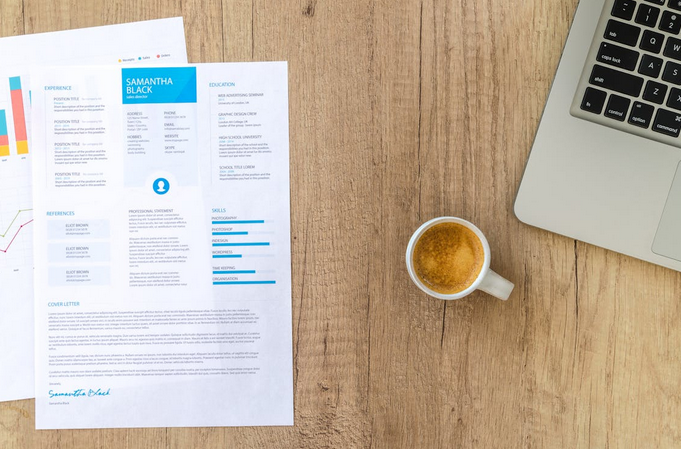
If your resume looks hard to read, it will get skipped. Dense blocks of text are a no. Tiny font is a no. A confusing layout with multiple columns can also backfire, especially with applicant tracking systems. Use a clean single-column format, consistent headings, and enough white space. Think “easy scan,” not “design contest.” Also, check your file type and naming. PDFs are usually best unless a company asks for a different format. Name the file clearly, like FirstName_LastName_Resume. Avoid heavy graphics, charts, and skill bars that don’t translate well in systems. A resume needs to travel well, like a carry-on bag. If it breaks in transit, you lose.
ATS Filters Can Reject You Before a Human Sees It

Applicant tracking systems are picky, but they’re not magic. They look for matches between your resume and the job posting. That means you should mirror key terms that are true for you. If the job asks for “project management,” and you’ve done it, use that phrase. Don’t hide skills behind cute wording. Also, keep section titles standard. Use “Experience,” “Education,” and “Skills.” Avoid labels like “My Journey” or “Where I’ve Been,” because systems can misread them. Put skills in a simple list, not inside icons. And don’t weirdly cram keywords, because humans will notice. You want clean alignment, not a keyword soup.
If your resume is getting rejected fast, it’s usually not because you’re “not good enough,” it’s because the document isn’t doing its job in that first quick scan. Tighten the top third, simplify the format, strengthen your bullets with impact, and align keywords so ATS and humans both understand you. Do those few things, and you’ll give recruiters a reason to pause, read, and call you in.